
Quick phrases
Start with quick phrases and organize common items according to your actual work needs.

Every product detail and button is designed with the user experience in mind

Don't have the app you need? Contact us to help adapt it

Supports multiple users on one device with cloud data sync
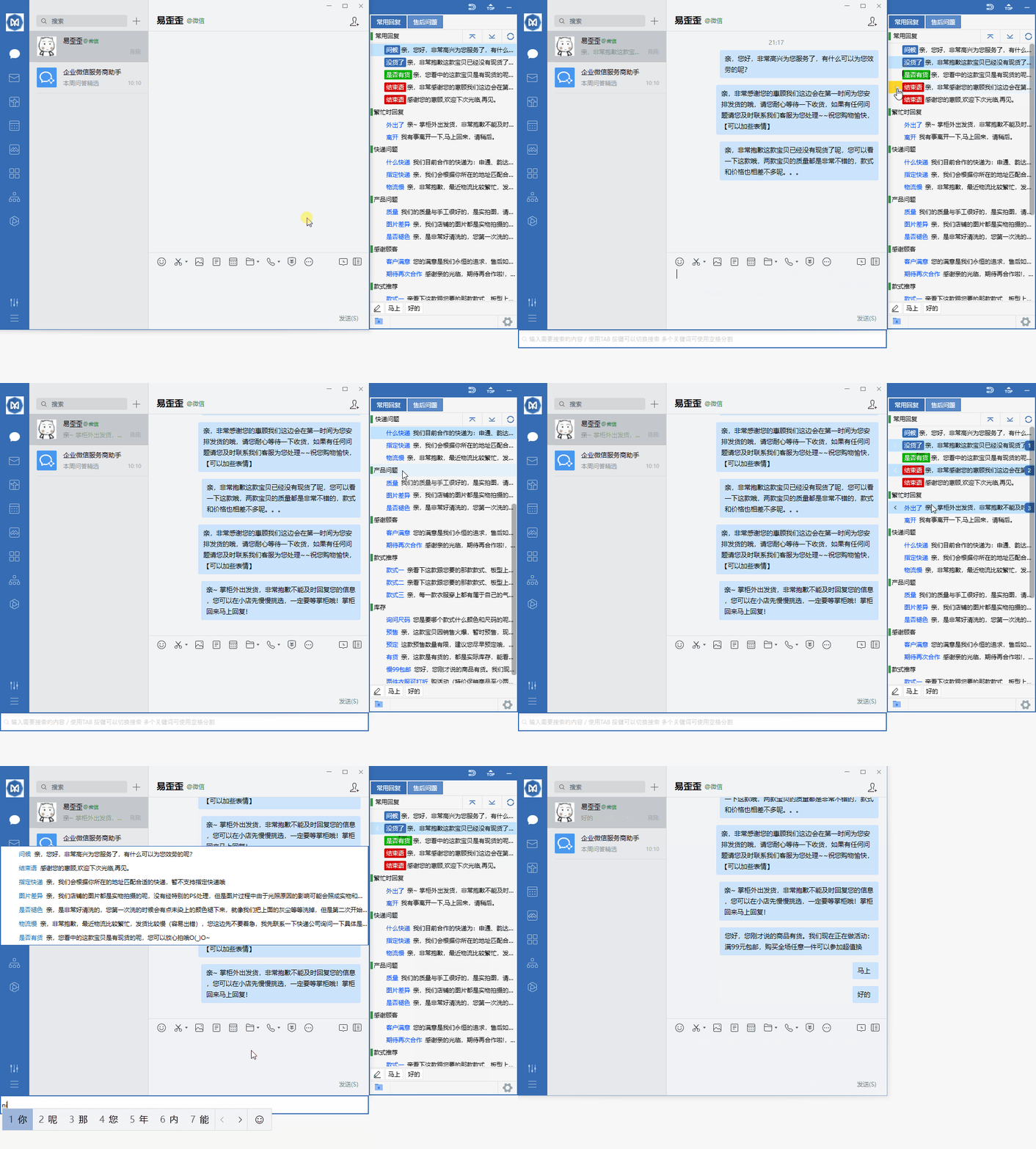
Organize daily customer service communication with reply categories, quick input and team sync.
Start with quick phrases and organize common items according to your actual work needs.
Combine data grouping with team sync to keep daily operations clearly organized.
Use desktop communication in a familiar interface and adjust your settings as needed.
View options related to quick phrases, and confirm device and version information before getting started.
Select your device system in the download center and view the corresponding version name.
Open the installation file and follow the on-screen installation prompts on your device to complete setup.
Easy Wai Wai maintains a consistent connection experience across different systems, making it suitable for daily office work, remote assistance, and switching between multiple devices. No complex configuration is required; after installation, you can quickly enter a stable session, reducing waiting time and repetitive operations.
Enter the identification information to start a session, suitable for temporary communication, file transfer, and remote desktop viewing.
Common computers and mobile devices can all be installed. The interface is clear, making it easy to get started quickly in different scenarios.
Background resource usage is relatively low, so daily meetings or remote assistance are less likely to affect the operation of other applications.
After installation, open Easy Wai Wai and confirm the connection permissions according to the on-screen prompts. Usually, no network or system parameter adjustments are needed; the client will automatically complete the basic configuration.
Yes. After establishing a session, you can select and send files in the conversation window, which is suitable for transferring documents, images, or small compressed packages.